
Introduction
For 25 years, HEX has been the universal language of web color. #FF3B30 — compact, exact, supported everywhere. But HEX has a dirty secret: it wasn't designed for human perception.
Ask a designer to pick "a slightly lighter version" of a HEX color and they'll guess. Ask them to create 10 even steps between two colors and they'll eyeball it — and get it wrong. That's because HEX and RGB describe how screens emit light, not how humans see color.
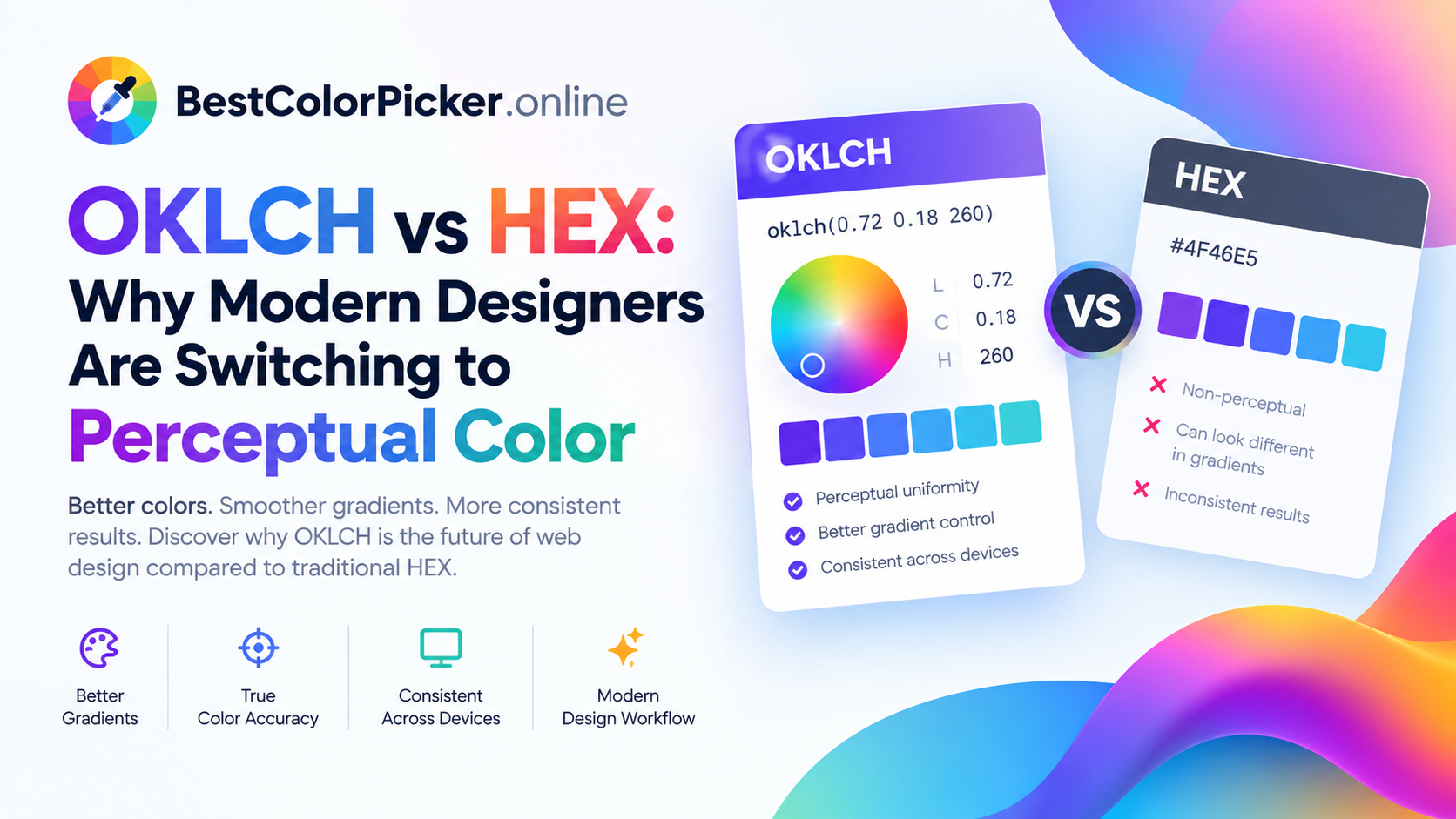
OKLCH changes that. It's a perceptual color space where equal numeric steps produce equal visual changes. In 2026, it's becoming the default for design systems, accessible palettes, and wide-gamut displays.
In this post, I'll explain what OKLCH is, why it matters, and how to start using it today with the free OKLCH color picker on BestColorPicker.online.
What Is OKLCH?
OKLCH is a color space built on three perceptual axes:
| Axis | Meaning | Range |
|---|---|---|
| L — Lightness | Perceived brightness | 0 to 1 |
| C — Chroma | Color intensity | 0 to ~0.4 |
| H — Hue | Angle on the color wheel | 0° to 360° |
Example: oklch(0.63 0.26 29) = #FF3B30
Notice how intuitive it is: lightness is a single number from 0 to 1. Chroma is intensity. Hue is a degree on the wheel. Compare that to HEX #FF3B30, where you need to mentally decode three hex pairs to understand what the color actually is.
Why HEX and RGB Fail at Perceptual Work
HEX and RGB are device-referred color models. They describe how much red, green, and blue light a screen emits. That's useful for rendering — but terrible for design decisions.
The problem in practice
Try to create 5 evenly-spaced lighter shades of #3B82F6 (blue) using RGB:
text
#3B82F6 → #5A96F7 → #79AAF9 → #98BEFA → #B7D2FC
Do these look evenly spaced to you? They don't. The first jump looks bigger than the last, because RGB interpolation doesn't respect how human eyes perceive lightness. The result feels "bunched up" at one end.
Now try the same with OKLCH:
text
oklch(0.62 0.19 255) → oklch(0.67 0.19 255) → oklch(0.72 0.19 255) → oklch(0.77 0.19 255) → oklch(0.82 0.19 255)
Every step looks visually equal. That's the magic of perceptual color.
The 4 Big Advantages of OKLCH
1. Perceptually Uniform Scales
Equal numeric steps = equal visual steps. This is what makes OKLCH palettes feel balanced and predictable instead of muddy or bunched. Design systems built on OKLCH can generate shade scales (50–900) that look evenly spaced because they actually are.
2. Better Gradients
Classic sRGB gradients between complementary colors pass through gray. That's why so many gradients look "muddy" in the middle. OKLCH interpolation keeps chroma alive across the transition, producing vibrant, smooth gradients from start to finish.
Use the OKLCH Gradient Maker on BestColorPicker.online to design these visually and copy production-ready CSS.
3. Predictable Design Tokens
In a design system, "primary-500" and "primary-600" should differ by a predictable amount. With OKLCH, you can define tokens by math:
css
--primary-500: oklch(0.62 0.19 255); --primary-600: oklch(0.55 0.19 255); /* exactly 0.07 darker */ --primary-700: oklch(0.48 0.19 255); /* exactly 0.07 darker */
Every step is visually identical. Try doing that with HEX without a spreadsheet.
4. Wide-Gamut Support (P3 & Beyond)
Modern displays support colors outside sRGB. OKLCH can describe P3 and wide-gamut colors, and BestColorPicker.online includes a gamut checker for sRGB, Display P3, and wide-gamut — so you know if a color will render correctly on modern screens before you ship.
OKLCH vs HEX vs RGB vs HSL — Quick Comparison
| Feature | HEX | RGB | HSL | OKLCH |
|---|---|---|---|---|
| Human-readable | ⚠️ | ⚠️ | ✅ | ✅✅ |
| Perceptually uniform | ❌ | ❌ | ⚠️ | ✅ |
| Even shade scales | ❌ | ❌ | ⚠️ | ✅ |
| Smooth gradients | ❌ | ❌ | ⚠️ | ✅ |
| Wide-gamut / P3 | ❌ | ⚠️ | ❌ | ✅ |
| Design-system friendly | ⚠️ | ⚠️ | ✅ | ✅✅ |
| Browser support (2026) | ✅ | ✅ | ✅ | ✅ |
TL;DR: HSL was a step forward from HEX for readability, but it still isn't perceptual. OKLCH is the first web-friendly color space that is both readable and perceptually uniform.
When Should You Still Use HEX?
OKLCH isn't a replacement — it's a specialization.
Keep HEX for legacy CSS, email templates, and third-party tools that don't support oklch().
Use OKLCH for design systems, palettes, gradients, and modern browsers (now ~95%+ support).
Use HSL if your team already standardized on it and has tooling built around it.
The best workflow in 2026 is OKLCH for creation, HEX for fallback. Many design systems export both — CSS oklch() with a HEX fallback.
How to Start Using OKLCH Today (Free)
Open the OKLCH color picker on BestColorPicker.online.
Pick a base color — by hue angle, by hex paste, or by chroma slider.
Generate shades with the palette generator using OKLCH interpolation.
Check contrast with the built-in WCAG checker.
Copy CSS-ready oklch() values or export to Tailwind, SCSS, or JSON.
No sign-up. No install. It runs entirely in your browser.
Common Questions About OKLCH
Is OKLCH supported in all browsers?
As of 2026, yes — Chrome, Safari, Firefox, and Edge all support oklch() in CSS. Global support is above 95%.
Can I convert HEX to OKLCH?
Yes — BestColorPicker.online converts between OKLCH, OKLab, HEX, RGB, HSL, HSV, and CSS color() functions in real time.
Will my old HEX colors break if I use OKLCH?
No. OKLCH is additive. Keep HEX for fallback and email; add OKLCH for modern work.
What's the difference between OKLCH and OKLab?
OKLab is the parent color space; OKLCH is its cylindrical form (like HSL is to RGB). OKLCH is easier to reason about — lightness, chroma, hue.
Is OKLCH good for accessibility?
Yes — because lightness is perceptual, you can predict contrast changes accurately. Pair it with the built-in WCAG contrast checker for best results.
Final Thoughts
HEX was built for machines. OKLCH was built for humans. If you're building a design system in 2026, learning OKLCH is no longer optional — it's the standard for palettes, gradients, and accessible color scales.
Start free today 👉 BestColorPicker.online OKLCH Color Picker
Your palettes will thank you.
🔗 Related Reading (External Links)
MDN: oklch() CSS Function — official browser documentation
OKLCH Color Space Explained — interactive deep dive
W3C WCAG 2.1 Contrast Guidelines — accessibility reference
MDN: CSS Color Values — full color format reference
Top Calculators — partner site for free online calculators
Image Fix — partner site for image optimization tools
Palpedia — partner site for guides and useful tools
Comments
Leave a Comment